UI/UX Trends That Actually Improve Digital Products

UI/UX design is evolving rapidly, but not every trend improves product usability or business performance. Many design patterns gain popularity because they look modern, not because they solve meaningful user problems.
In 2026, organizations are shifting toward practical UX strategies that improve usability, reduce friction, and support measurable business outcomes. Product teams are focusing more on workflow efficiency, intelligent personalization, accessibility, and scalable design systems rather than purely visual experimentation.
According to Research, every dollar invested in UX can generate up to 100 dollars in return through improved usability, conversion optimization, and customer retention. This highlights why strategic UX investments are becoming a major business priority across digital products.
Why Many UI/UX Trends Fail to Deliver Real Business Value
A large percentage of design trends fail because they prioritize aesthetics over usability. Businesses often adopt visually impressive interfaces without evaluating whether those interfaces improve user behavior, engagement, or operational efficiency.
This becomes especially problematic for enterprise software, SaaS platforms, healthcare systems, fintech products, and operational dashboards where users prioritize speed, clarity, and workflow continuity over experimental design patterns.
Common reasons why UI/UX trends fail include:
- Teams focus heavily on visual redesigns without understanding actual user workflows. This creates interfaces that look modern but interrupt established usage patterns.
- Businesses adopt AI features or personalization layers without clearly defining how they improve usability. As a result, users experience unnecessary complexity rather than meaningful assistance.
- Product teams prioritize trend adoption over accessibility and performance optimization. Heavy animations, excessive transitions, and overloaded interfaces frequently reduce usability across mobile and enterprise environments.
Practical UI/UX Trends Businesses Are Actually Adopting
AI Assisted Personalization Is Becoming More Practical
Personalization has existed for years, but modern UX strategies are making it more useful and less intrusive.
Instead of aggressively tracking users across platforms, businesses are using contextual personalization to simplify workflows within products themselves. This includes adaptive dashboards, role aware navigation, personalized onboarding flows, and intelligent content prioritization.
Practical AI driven UX improvements now commonly include:
- Showing relevant actions based on user behavior, permissions, or workflow history. This reduces unnecessary navigation and improves operational efficiency.
- Simplifying repetitive user tasks through predictive suggestions and contextual automation. Enterprise applications are increasingly using AI to reduce manual input effort.
Organizations are seeing better adoption rates when AI supports workflow efficiency rather than attempting to replace human decision making.
Examples of this approach are becoming increasingly visible across SaaS and enterprise platforms. Notion uses contextual AI suggestions to reduce manual workflow creation instead of overwhelming users with aggressive automation.
Shopify continues improving merchant workflows through role aware dashboards, predictive recommendations, and operational shortcuts that simplify daily tasks for store owners.
This shift reflects a broader market trend where AI is becoming more embedded into workflows instead of existing as standalone chatbot experiences.

Read- Generative AI for Rapid UI Prototyping
Workflow Focused UX Design Is Replacing Traditional Screen Based Design
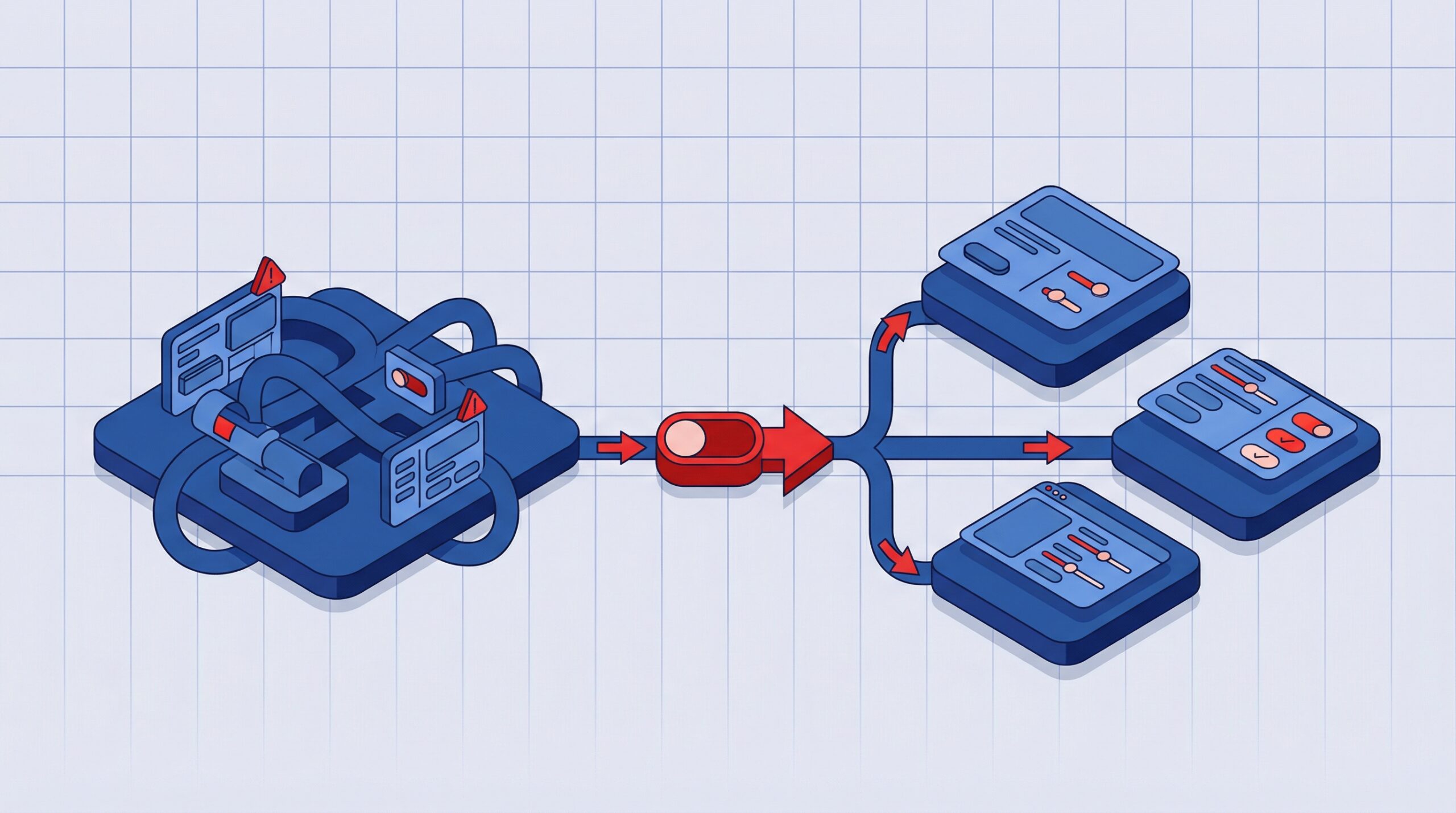
One of the biggest shifts happening in UI/UX is the move from page centered design toward workflow centered product experiences.
Traditional design approaches focused heavily on individual screens. Modern product teams now optimize complete operational journeys across interconnected systems.
This is especially important in enterprise applications where users interact across approvals, reporting systems, analytics modules, communication layers, and administrative workflows.
Workflow driven UX design improves products by:
- Reducing unnecessary steps across multi stage operations. Users complete tasks faster because interfaces are aligned with operational sequences.
- Improving context continuity between modules and systems. Users no longer feel disconnected when moving between different areas of a platform.
- Supporting role based experiences without duplicating entire interfaces for different user groups.
This workflow centered approach is increasingly visible across modern enterprise products.
Linear simplified issue tracking by reducing interface clutter and prioritizing workflow continuity across teams while Figma improved cross functional collaboration by designing around real time workflows rather than isolated screens and menus.
Many modern SaaS products are now optimizing complete operational journeys instead of individual pages.

UX Writing Is Becoming a Core Product Function
Businesses are increasingly recognizing that interface copy directly affects usability, onboarding quality, and task completion.
Clear UX writing helps users understand actions faster, reduces friction during workflows, and improves consistency across digital products. In enterprise environments especially, unclear messaging often becomes a hidden usability issue even when the underlying functionality is strong.
Many product teams now treat UX writing as part of the overall product experience rather than a secondary content task.
UI/UX Trends That Businesses Are Starting to Avoid
Not every popular trend delivers meaningful business value. Many organizations are becoming more cautious about adopting visually impressive patterns that negatively affect usability or product performance.
Excessive Motion Based Interfaces
Heavy animations often reduce responsiveness and create distraction rather than improving usability. Businesses increasingly prefer purposeful motion that guides users instead of overwhelming workflows.
AI Features Without Clear UX Value
Adding AI powered interfaces without solving real user problems frequently creates unnecessary complexity. Organizations are becoming more selective about where AI meaningfully improves workflows.
Overdesigned Enterprise Dashboards
Complex dashboards filled with excessive visualizations, widgets, and dense interfaces often reduce operational efficiency. Modern enterprise UX prioritizes clarity, prioritization, and decision support over visual density.
Many B2B platforms launched between 2021 and 2023 heavily prioritized visually dense dashboards inspired by consumer applications. In practice, users often preferred cleaner layouts with clearer task prioritization and faster navigation.
Aggressive Personalization
Users appreciate contextual experiences, but excessive personalization can feel invasive and reduce trust. Successful UX strategies balance personalization with transparency and user control.
Common UX Problems Still Affecting Modern Applications
Even with modern design systems, AI integrations, and advanced frontend frameworks, many digital products still struggle with usability fundamentals that directly affect adoption and retention.
Some of the most common UX problems businesses continue to face include:
- Enterprise platforms that function well on desktop environments but create friction across mobile workflows and field operations.
- Interfaces overloaded with actions, widgets, and navigation layers that increase cognitive effort instead of simplifying decision making.
- Weak onboarding experiences that explain product features without helping users reach meaningful outcomes quickly.
- Poor error handling and recovery guidance that force users to depend on support teams during workflow interruptions.
Many organizations continue investing heavily in feature expansion while underinvesting in usability refinement, workflow simplification, and long term product experience quality.
What Businesses Should Actually Prioritize in UI/UX Design
At AcmeMinds, product teams consistently see stronger business outcomes when UX decisions are tied to usability, adoption, and operational clarity rather than purely visual redesigns. In many SaaS and enterprise environments, small usability improvements create more measurable impact than complete interface overhauls.
Some of the highest impact UX priorities for modern businesses include:
- Designing around complete user workflows instead of isolated screens so users can move through systems faster with fewer interruptions and manual steps.
- Building scalable design systems that improve consistency across products while accelerating development and simplifying long term maintenance.
- Using behavioral analytics and usability insights to validate UX decisions instead of relying only on design assumptions or visual trends.
- Introducing AI driven assistance selectively where it improves productivity, recommendations, searchability, or task completion without increasing interface complexity.
Many successful enterprise products are simplifying navigation, improving information hierarchy, and reducing interface friction instead of adding visually dense experiences.
One practical UX principle many teams still underestimate is reducing decision fatigue. Products become significantly easier to use when actions are prioritized clearly instead of presenting users with too many competing choices at once.
The products creating long term value are not necessarily the most visually aggressive. They are the ones that feel intuitive, predictable, fast, and reliable across real operational use cases.
Read – UI/UX Design Best Practices
Real UI/UX Patterns Businesses Are Adopting in 2026
The strongest UI/UX patterns emerging in 2026 are focused less on visual novelty and more on improving usability across real workflows.
Some of the most practical patterns businesses are actively adopting include:
- Context aware dashboards that adapt based on user role, workflow stage, or recent activity instead of showing identical layouts to every user.
- Embedded AI assistance integrated directly into workflows rather than isolated chatbot experiences disconnected from actual tasks.
- Simplified navigation systems that reduce dependency on deeply layered menus and improve task discoverability.
- Progressive onboarding experiences that guide users gradually instead of overwhelming them with feature heavy introductions.
- Cleaner enterprise interfaces with stronger information hierarchy, fewer distractions, and more focused task prioritization.
- Mobile optimized operational workflows designed specifically for distributed teams, field operations, and remote collaboration.
This shift is increasingly visible across modern SaaS platforms. Companies like Notion, Figma, Slack, and Shopify continue improving adoption by simplifying workflows, reducing interface friction, and embedding intelligent assistance more naturally into daily product usage.
Conclusion
UI/UX design in 2026 is becoming more focused on usability, clarity, and product efficiency rather than purely visual experimentation.
Businesses are prioritizing experiences that simplify workflows, reduce friction, improve onboarding, and support long term product scalability. AI is also becoming more effective when embedded naturally into workflows instead of existing as isolated features.
FAQs
1. What are the most important UI/UX trends in 2026?
Some of the most important UI/UX trends in 2026 include AI-assisted personalization, workflow-focused UX design, scalable design systems, accessibility-driven design, and context-aware interfaces. Businesses are prioritizing usability, operational efficiency, and adaptable user experiences across web and mobile platforms.
2. Why is workflow-based UX design becoming important?
Workflow-based UX design is becoming important because it improves operational efficiency by optimizing how users complete tasks across connected systems rather than focusing only on individual screens. This approach helps reduce friction, improve productivity, and create smoother end-to-end user journeys.
3. How is AI improving UI/UX design?
AI is improving UI/UX design through intelligent personalization, contextual recommendations, conversational interfaces, adaptive workflows, and predictive user assistance. These capabilities help products deliver faster interactions, more relevant experiences, and higher user engagement.
4. What UI/UX trends are businesses avoiding in 2026?
Businesses in 2026 are increasingly avoiding excessive animations, overdesigned dashboards, intrusive personalization, and AI features that do not improve actual usability. Modern UX strategies focus more on clarity, performance, accessibility, and meaningful interactions.
5. Why are design systems important for modern products?
Design systems improve consistency, scalability, collaboration, accessibility, and development speed across growing digital products and enterprise platforms. They help teams maintain a unified user experience while accelerating product development and reducing design inconsistencies.
6. How can businesses improve UX without redesigning entire applications?
Businesses can improve UX without full redesigns by simplifying workflows, improving navigation clarity, optimizing mobile experiences, reducing cognitive load, refining onboarding processes, and strengthening accessibility. Small usability improvements often create significant gains in customer satisfaction and product adoption.
More on Design
UI/UX Design Best Practices for Enterprise Software in 2026